DNS Record Types Explained

Intro
Before diving directly into the types of DNS Records, we need to understand what a DNS Server is, how it differs from a DNS record, and the real-life applications of DNS.
What DNS Actually Is
In textbook terms, we can say that “DNS is the server that translates domain names into IP addresses.”
Now, to decode this sentence, we need to be aware of the domain name and the IP Address. I will simplify this with one example: say Google is a company and it wants to have a website. Similar to your home address, a server assigns an address to the website. This address is called an IP address. The general format of an IP Address is like this: 142.250.193.14. These are mere numbers, and because humans are bad at remembering numbers, we simplify them by giving them names like google.com. The domain names also have big recursive logic involved, which we will discuss further in the blog. But one important thing is, just like IP addresses, domain names are also unique and are provided on First Come First Serve.
Because we are clear with the domain name and IP addresses, we will be able to understand DNS properly. DNS stands for Domain Name Service. DNS is a globally distributed, hierarchical database that stores and serves information about domain names. DNS is not a single server, it is distributed and hierarchical.
DNS Server vs DNS Records
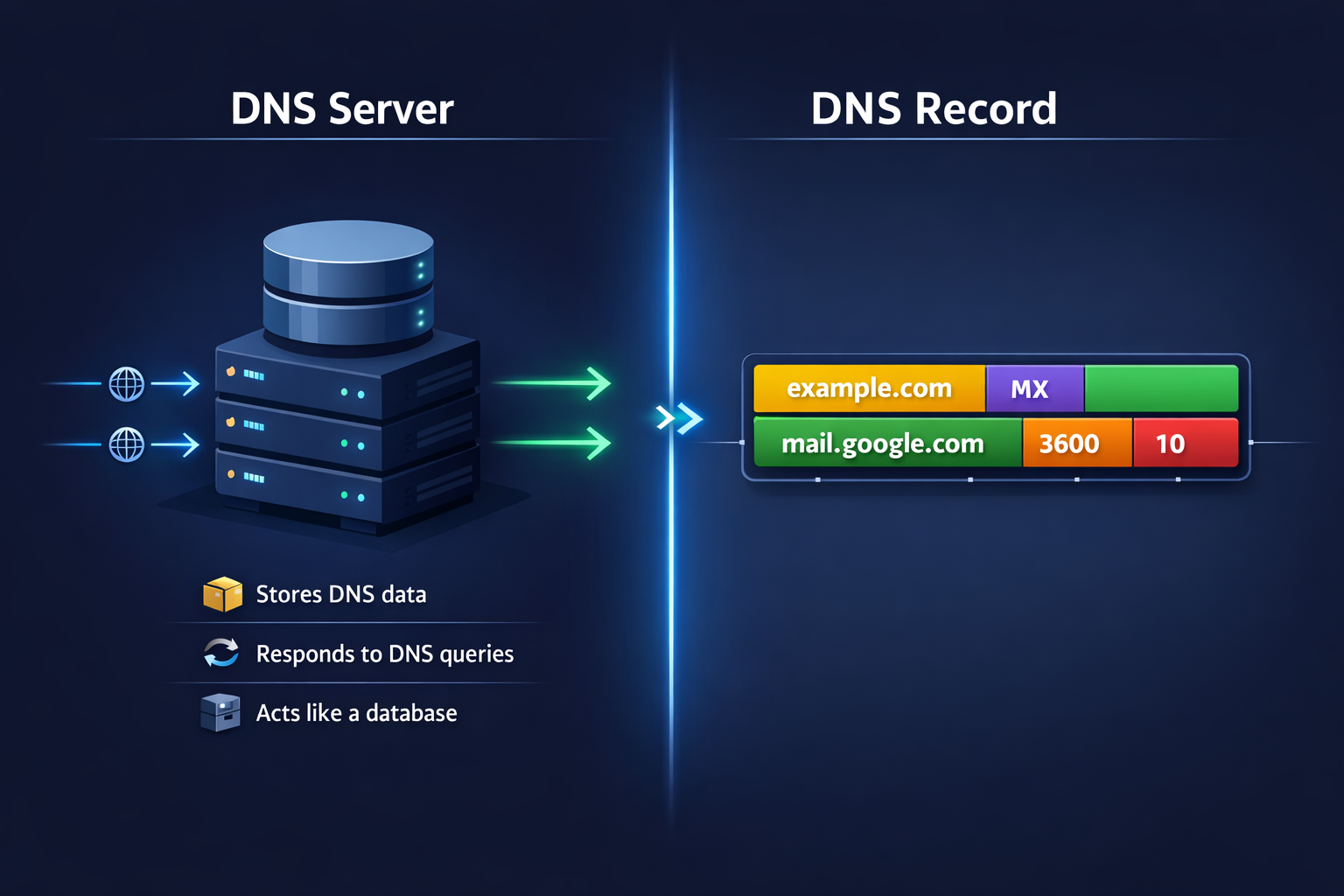
DNS Servers and Records are the place where newbies get confused. A DNS Server can be visualized as a database that stores and serves information about ip addresses. We can also say that it responds to DNS queries.
DNS Record is part of DNS Server only, it is a single instruction stored inside a DNS server. It can be understood as a row of a database, which contains crucial data for domain names.
DNS Server → stores and serves DNS data
DNS Record → one specific piece of DNS data
Information/Data that DNS Records provides us
→ Record Name - This tells about the domain or subdomain of the website. E.g., example.com, svit.in, etc.
→ Record Type - Defines what kind of information. E.g. A, AAAA, NS, TXT
→ Record Value - This is the actual infor which is to be returned. E.g. A record - 93.184.216.34,
MX - mail.google.com, etc.
→ TTL (Time to Live) - This tells us how long a record can be cached before it must be refreshed.
→ Priority - This assigns a priority number to each query. Helps in prioritizing particular servers over others
Putting all together, A record may look like this
Name: example.com
Type: MX
Value: mail.google.com
Priority: 10
TTL: 3600
This data is very crucial as it instructs the internet on how to operate that particular request.
DNS Record Type
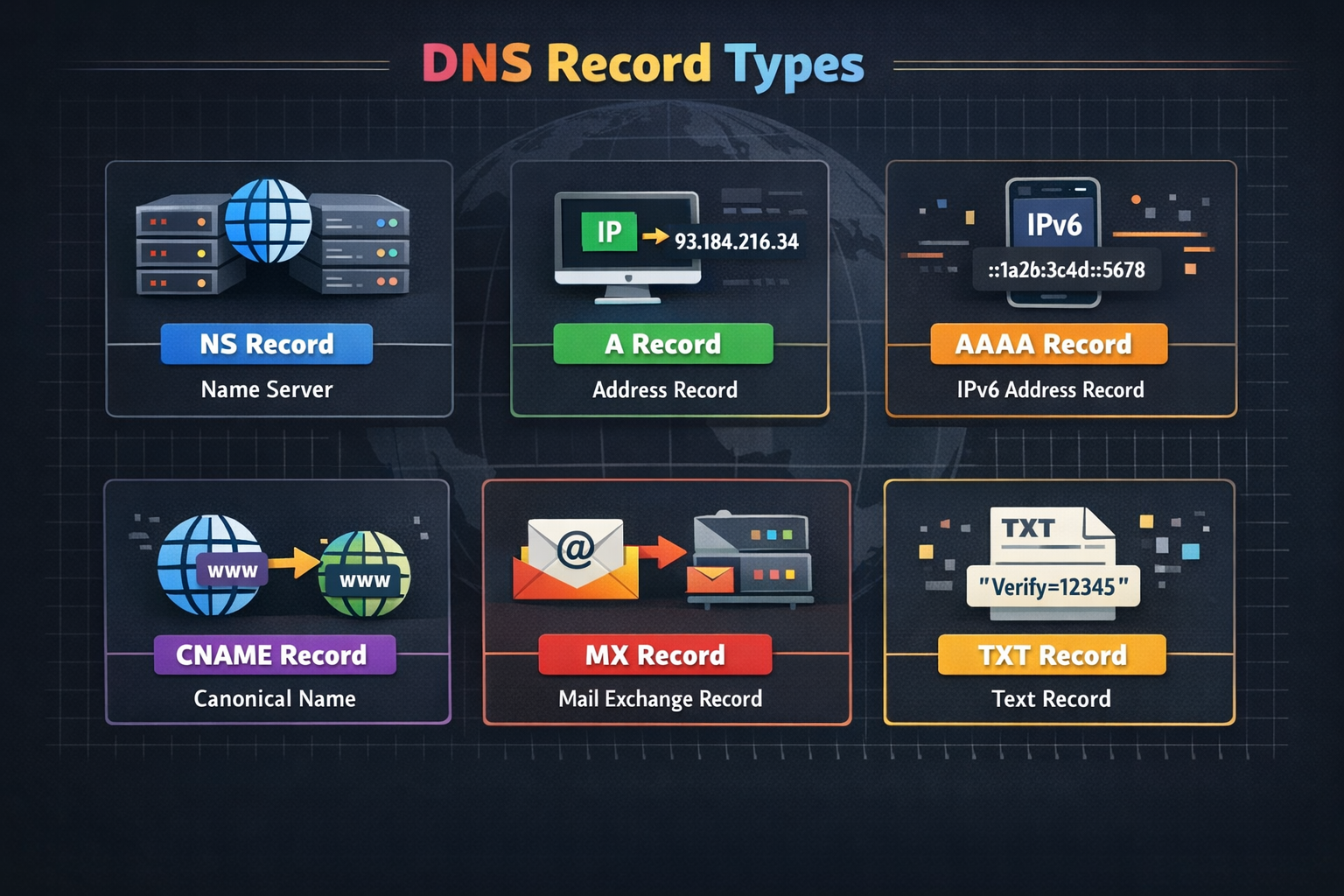
Moving on to our main topic, DNS Record Types, in total, there are 90+ DNS record types, but only a few are used majorly, and as of now, we will be discussing 6 major DNS Record Types - NS, A, AAAA, CNAME, MX, and TXT.
NS (Name Server)
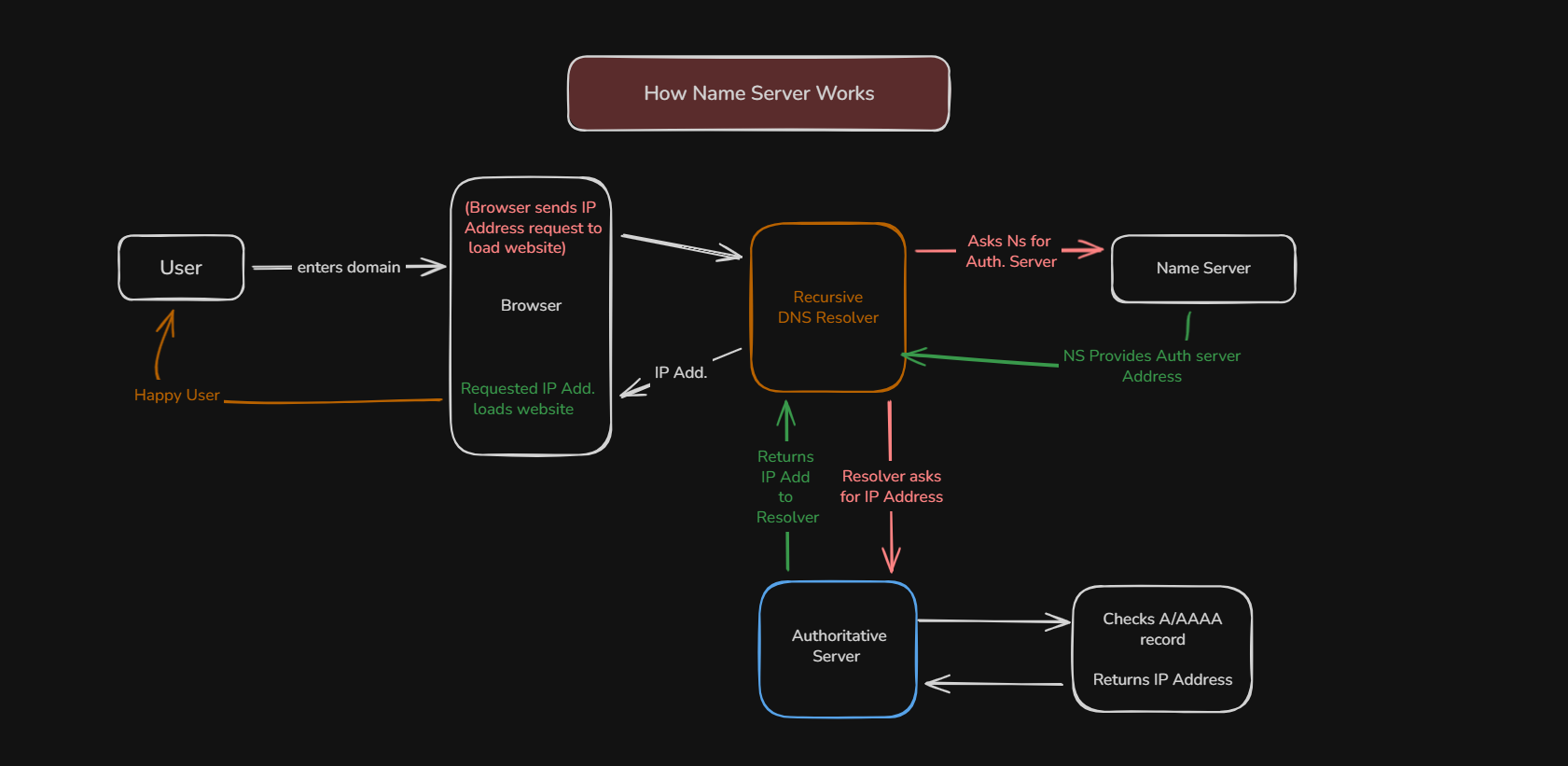
In definitive terms, a Name Server record tells the browser which DNS servers are responsible for the domain.
Now we will understand this one line with an analogy. Say for egUser asks for the domain
bitbybitblog.hashnode.devto browser. Browser will ask Recursive DNS resolver to get an IP address. The resolver uses Name Server to find Authorative Server, sayns1.cf.comThe Name Server doesn’t directly give us an IP Address. Their job is to provide the address of the DNS Server, which has the IP Address of the domain (bitbybitblog.hashnode.dev).Now the resolver knows the DNS address, it request Claudflare’s Authoritative DNS. Authoritative DNS Servers requests for the A/AAAA record of the domain (
bitbybitblog.hashnode.dev). This request returns the required IP address, making the browser load the website.
A Record ( Address Record)
A record tells the browser where the website is actually hosted; it is the final destination for IP Address of Domain name.
A records sever multiple purposes,→ Main service is that A record points the domain to the web server
→ It connects domains to VPS, cloud servers, and a load balancer
→ Serves APIs and backend services
We can say that in most cases A record is the final answer as it will tell the IP Address.
A record maps a domain name to an IPv4 address.
AAAA Record ( IPv6 Address Record )
A and AAAA record do the same job, the only difference is that an A record directs the domain name to IPv4 address, whereas a AAAA record directs to IPv6 Address
The reason for introducing IPv6 was that IPv4 addresses had limited address, also, IPv6 solved the issue of providing vastly larger address space.
IPv4 address type - 198.9.9.11
IPv6 address type - 2606:2800:220:1:248:1893:25c8:1946
CNAME ( Canonical Name Record )
CNAME record makes one domain alias of another domain, in layman terms, it gives a pet name to a domain.
Say, for example, if a boy’s real name is Aarav but his pet name is Aaru, calling out Aaru will give the same message as calling Aarav.
Similarly, CNAME works for domain names. Say for a website
google.comis the domain name, but wewww.google.comalso serves the same result, meaning google.com is CNAME for www.google.com and writingwww.google.comwill point togoogle.comthen pointing to its IP Address.Usage of CNAME can be found in URL shortening websites as they add a layer of CNAME as another website that points to the original long website.
MX RECORD ( Mail Exchange Record )
Till now we discussed about records for Website point of view, but the mails you use also have a
.comand a website domain also has a.com. How will DNS understand which servers are needed to allocate website data and email data?This is where MX records come into play.
MX Record tells the Internet which mail servers are responsible for receiving emails for a domain.
Let’s understand by example, say
gmail.comis a website, a user sends a mail toxyz@gmail.com. DNS replies with ‘Deliver mails for gmail.com tomail.google.com, the mail server connects tomail.google.com, and mail is delivered.Some important things about MX Records
- It always has a priority number to prevent email loss and failover.
- MX Record points to domain names and not IP addresses
- MX record applies to Root domain only
TXT Record ( Text Record )
TXT Records are the type of DNS records that don’t give direction for traffic to go, like A or AAAA record. Instead, they are used to determine authenticity, trust, and proof.
In definitive terms, a TXT (Text) record stores text-based information for a domain that is used for verification, authorization, and trust.
TXT Record don’t load websites, nor do they route emails like MX record, they only declare information.


